In short
To be ready for the Punjab Healthcare Commission’s HMIS requirements, a hospital needs software that keeps one patient record across every department, covers all 16 PHC modules on a phased basis, produces the department dashboards and KPIs PHC names, and gives inspectors registers, consents and audit trails on demand. Use this checklist to score your current system or a prospective vendor against the standard before you commit.
Key takeaways
- Score your system against the PHC module list in phase order: OPD, emergency, laboratory, radiology, pharmacy and dashboard first.
- One MR number across OPD, emergency, IPD, lab, radiology and pharmacy is non-negotiable — PHC’s modules all pull demographics from a central registration.
- Check the unglamorous requirements: consents with signatures, medication administration records, transfer requests with acceptance, staff rosters, attendance and SOP repositories.
- Dashboards must be per module with real KPIs (wait times, turnaround times, mortality, infection rates), with drill-down, not a single sales graph.
- Ask for a live demo on your own workflows and insist on seeing the audit trail, role-based access and a report export, not slides.
- Budget for data migration, training by role and a CQI focal person — the software is only half of readiness.
Why a checklist, and how to use it
The PHC HMIS report runs to hundreds of pages of numbered requirements. Nobody evaluates software line by line, but you can evaluate it theme by theme. This checklist condenses the recurring expectations across the OPD, emergency, IPD, laboratory, radiology, OT, ICU and dashboard chapters into questions you can put to your current system or to a vendor.
Score each item as “yes, shown to us live”, “yes, on the roadmap” or “no”. Anything in the Phase 1 modules that scores “no” is urgent, because those modules fall due within 6–8 months of PHC’s notification. Phase 2 items (IPD, OT, ICU, CSSD, equipment, infection control, complaints, CQI, HRM) follow within 16–18 months.
Checklist 1 — one patient, one record
Every PHC module begins the same way: the patient’s demographics are pulled from a central registration, not re-typed. The OPD chapter asks for an auto-generated unique medical record number with cross-verification against name, mobile and CNIC to avoid duplicates; the laboratory chapter asks for real-time access to core demographics from the central registration with no duplicate registration; the radiology chapter asks for automatic population of patient details from the central HMIS; and the IPD chapter requires that a patient admitted through the emergency department or OPD keeps the previously generated MR number.
- Does the system issue one MR number at first contact and reuse it in OPD, emergency, admission, lab, radiology and pharmacy?
- Does it warn or block when a receptionist tries to create a duplicate by name, mobile or CNIC?
- Are visit numbers and admission numbers linked to the MR number, so every order and result is traceable to an encounter?
- Can a doctor see previous visits, diagnoses, allergies, medications and reports from any department?
- Can the patient be identified by barcode or QR code on a card, slip or wristband?
Checklist 2 — orders, results and prescriptions flow electronically
The OPD chapter expects test orders to transmit automatically to the laboratory and radiology systems and to move through statuses such as ordered, sample collected, in progress and result ready, with the doctor notified when results are available. It also expects e-prescriptions to transfer seamlessly to pharmacy, with drug allergy and interaction alerts before dispatch and a pharmacy bill generated against the OPD visit.
- Do lab and radiology orders placed by a doctor appear at the lab counter and in the lab worklist without re-entry?
- Are results released per test and visible in the doctor’s screen and the patient’s record as soon as they are approved?
- Does the laboratory flag critical values and notify the clinician, with an escalation path if nobody acts?
- Does the pharmacy dispense directly against the doctor’s prescription or ward request, with live stock, batch and expiry?
- Does the system check drug interactions and allergies before a prescription is saved, not just after?
Checklist 3 — the inpatient, theatre and ICU essentials
The IPD, OT and ICU chapters are where many “clinic-first” products fall short. PHC asks for electronic admission forms and consent forms for surgery, anaesthesia and transfusion with the patient’s signature; real-time bed availability that prevents double booking; a medication administration record; fluid intake and output monitoring; transfer requests that are authorised, tracked and handed over; discharge planning; and a structured mortality review. The OT chapter builds the surgical safety checklist and intra-operative notes into the system; the ICU chapter adds hourly monitoring, scoring systems, alarm management and shift handover.
- Can a patient be admitted against a specific ward and bed, with the bed board updating live?
- Are ward, ICU and OT moves requested, accepted and logged with the receiving unit’s confirmation?
- Does the nurse’s chart stop a dose being recorded that pharmacy never issued?
- Are consents captured with signatures and frozen wording?
- Does the theatre module enforce the WHO Surgical Safety Checklist steps and record the anaesthesia and operative notes?
- Does the ICU chart calculate severity scores and raise alerts that must be acknowledged?
- Does an in-hospital death flow into a mortality review queue with structured data?
Checklist 4 — dashboards, KPIs and reports PHC will look for
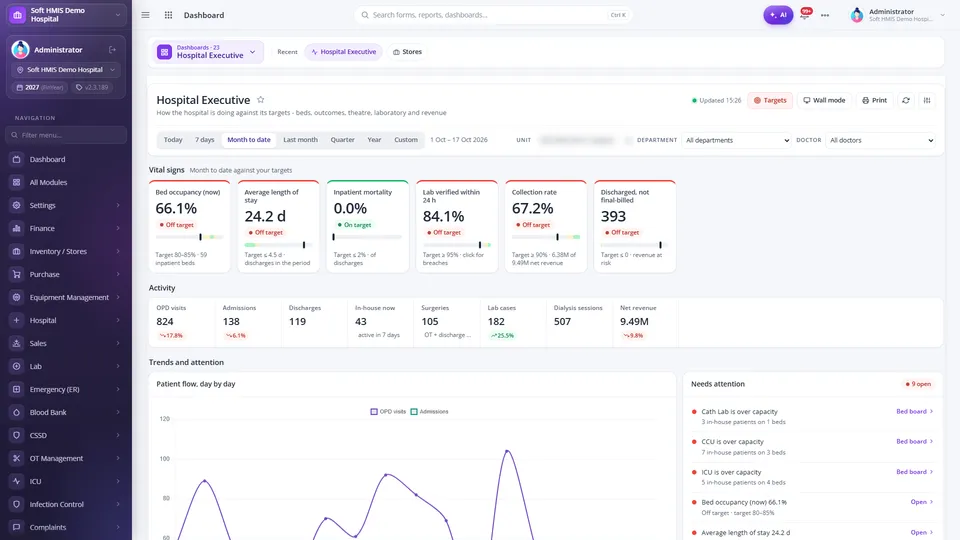
Each PHC module ends with a dashboard section that names indicators. The OPD dashboard tracks patients waiting, in consultation and in pharmacy or lab, daily, weekly and monthly volumes, no-show and cancellation rates. The emergency dashboard counts patients by triage colour, deaths and deaths reviewed by the medical review committee, and throughput per shift. The laboratory chapter lists pre-analytical, analytical, post-analytical and operational quality indicators, from rejected samples to turnaround time compliance and critical value reporting rates. Radiology wants scan volume by modality, turnaround from order to report delivery and report discrepancy rates. The ICU dashboard wants mortality rate standardised by severity, length of stay, readmissions and infection rates.
- Is there a dashboard per department, not one generic page?
- Can management filter by business unit, date, department and doctor and drill from a KPI to the underlying rows?
- Can the quality team maintain a KPI register with targets and a period scorecard?
- Can reports be exported (PDF or Excel) for audits and PHC submissions?
- Is there a wall or TV mode for live boards in the ER, wards and OPD?
Checklist 5 — the MSDS-style requirements inside the HMIS
Because the committee treats MSDS compliance as integral to the HMIS, each clinical module includes requirements that look operational rather than clinical: consultants, medical officers and qualified nurses per shift, duty rosters, biometric or manual attendance with real-time status, an on-call consultant system, daily round documentation and a round register, a digitised repository of SOPs and guidelines with version history and role-based search, staff certification status (such as BLS, ACLS, ATLS and PALS with expiry dates in the emergency chapter), and incident reporting.
- Can the system show who is on duty, on call or absent right now, per department?
- Does it keep a round register and staff certificates with expiry dates?
- Is there an SOP and policy repository with versions and read acknowledgement?
- Can any staff member report an incident, and does it move through root-cause analysis and corrective action?
- Are complaints logged, assigned, escalated and closed against a service level?
Checklist 6 — security, audit and control
PHC’s modules repeatedly ask for role-based access, digital signatures, locked records that can only be reopened with justification, and audit trails covering creation, edits, approvals and viewing. Expect the same from the platform underneath.
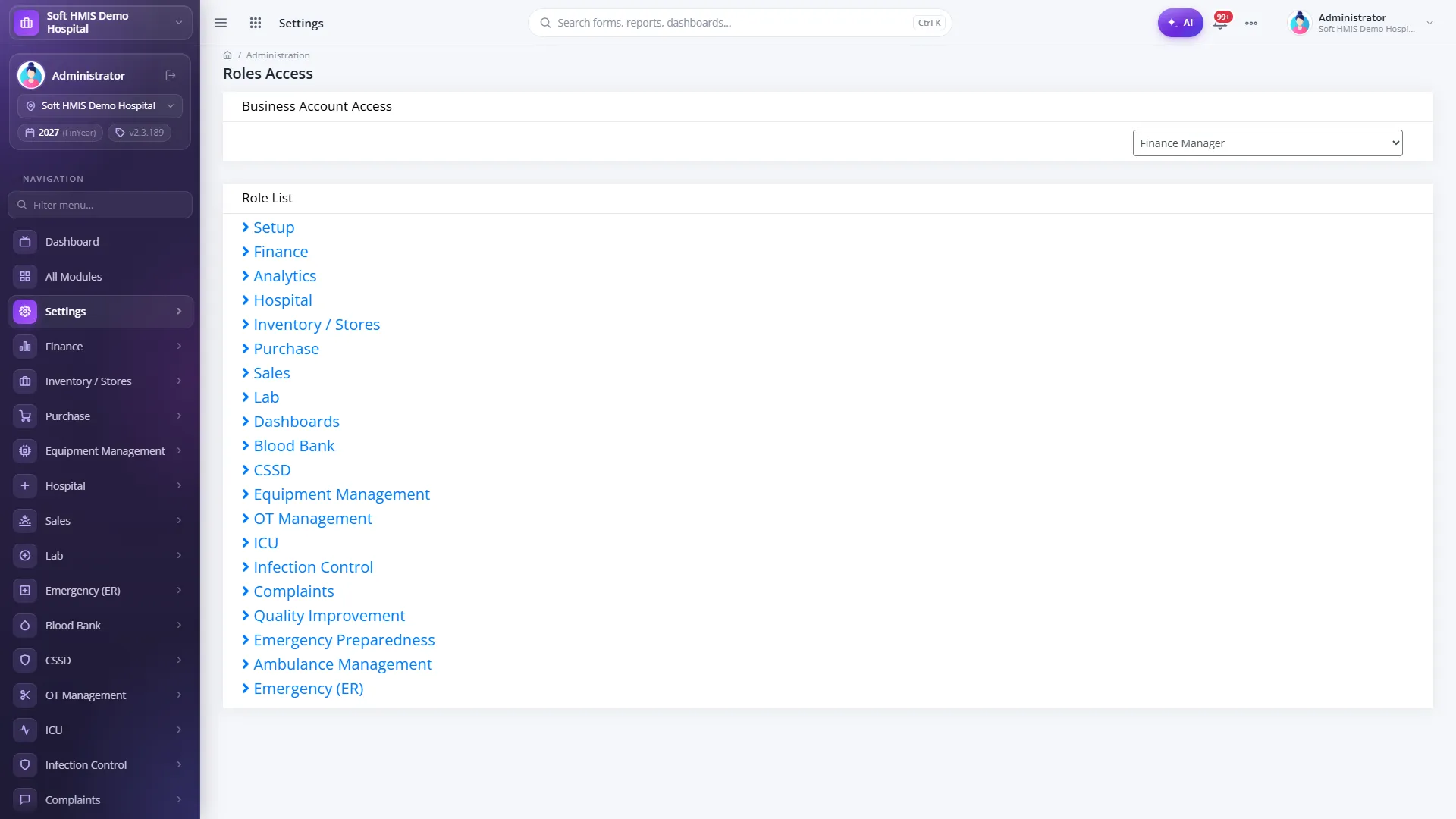
- Are rights granted per screen and per action (view, add, edit, delete, check, approve) and scoped by ward, store or business unit?
- Are logins protected (failed-attempt lock-out, password expiry, single active session, idle timeout)?
- Is there a user activity log and login-attempt log an auditor can read?
- Are finalised reports and closed theatre records locked, with amendments versioned?
- Can the hospital choose cloud, on-premise or hybrid deployment, and who holds the data?
Questions to ask every vendor
Demonstrations are where most HMIS purchases go wrong. Insist on the following.
- 1Walk through the PHC module list requirement by requirement, in phase order, on a live system — not slides.
- 2Show a patient journey end to end: registration, token, triage, consultation, lab order, result, prescription, pharmacy issue, admission, transfer to ICU, theatre booking, discharge and invoice — on the same MR number.
- 3Show the audit log for one of those steps and the role-access screen that controls it.
- 4Export one department dashboard and one KPI scorecard to Excel or PDF.
- 5Explain which features are switched on by default and which are configured per hospital, and show that the configuration exists.
- 6Describe the implementation plan: requirement study, workflow mapping, data migration, role-based training, controlled go-live and support after go-live, with named people.
- 7Ask for reference hospitals you can visit, and visit one.
How SoftHMIS supports this
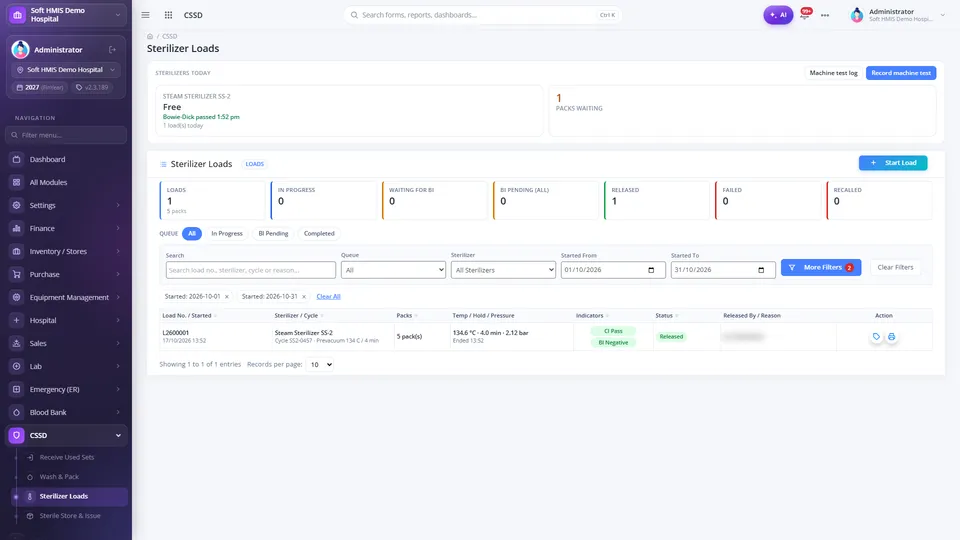
SoftHMIS is designed around the PHC HMIS requirements and was built to pass exactly this kind of checklist. It runs every department on one database and one lifetime patient record: a token issued at reception appears in the doctor’s live queue; tests ordered in the visit load straight into lab registration; pharmacy dispenses against the prescription or ward request; theatre, ICU and ward moves are requested and accepted in the system; and every charge reaches one patient invoice.
On the control side, rights are granted per screen (view, add, edit, delete, check, approve) with data scope by business unit, store and ward; logins carry lock-out, password expiry, optional e-mail one-time codes and a single active session; and user, login and role reports are available for audit. Management gets 34 dashboards in six groups with filters by business unit, date, department and doctor, drill-down to the rows behind every KPI, wall mode, targets and printable snapshots, backed by roughly 240 reports that preview and export to print or Excel.
Implementation follows a defined path — requirement study, workflow mapping, PHC-aligned configuration, data migration, role-based training, controlled go-live and lifelong support — and hospitals can deploy in the cloud, on-premise or hybrid. SoftHMIS does not claim PHC certification; it is built so that the evidence PHC asks for is produced by normal daily work.
Frequently asked questions
How much of the PHC HMIS standard can a billing-only system meet?
Very little. Billing and payment is one section inside each module, and much of it is tagged Phase 2. The core of each chapter is clinical and operational: registration, orders, results, prescriptions, medication administration, transfers, discharge, rosters, SOPs and dashboards.
Should we buy separate lab, radiology and pharmacy software and connect them?
PHC’s requirements allow integration through standards such as HL7 and ASTM, but every integration point is a place where patient identity, orders and charges can diverge. An integrated HMIS on one database removes most of that work; if you do integrate, test the full patient journey across all systems before go-live.
What should an HMIS demo for PHC compliance include?
A live walk-through of one patient from registration to invoice across OPD, lab, pharmacy, admission, ICU or theatre and discharge, plus the audit trail, the role-access screen, one department dashboard with drill-down and an export of a KPI report.
How long does an HMIS implementation take?
It depends on hospital size and data quality, but PHC’s Phase 1 window of 6–8 months is a realistic target for OPD, emergency, laboratory, radiology and pharmacy when data migration and training by role are planned from the start. IPD, OT and ICU typically follow in Phase 2.
Can a vendor be “PHC certified”?
The PHC report defines requirements and dashboards; it does not describe a product certification scheme. Treat “PHC certified” claims with caution and ask the vendor to demonstrate the requirements instead.
Sources
- Hospital Management Information System (HMIS) — Final Report of the HMIS Committee — Punjab Healthcare Commission, 13 June 2026
- HMIS buying guide
- Checklist
- PHC compliance
- Hospital software Pakistan
- Vendor evaluation