
What this module solves
Welfare and zakat support given on paper cannot be reconciled against the bill, the same visit can be supported twice, and donors never see a proper receipt.
What your facility gains
- Approved support is applied directly on the patient invoice
- Assessment evidence — income, assets, liabilities and thumbprint — stays on file
- Zakat funds are accounted for by patient and payment type
- Donations are receipted with a receipt book number
The workflow
Patient
Visits and services selected for support.
Assessment
Income, family, housing, assets and liabilities recorded.
Thumbprint
Captured with the fingerprint reader.
Approve
Discount percentage and authority set.
Applied
Support appears on the patient invoice.
Everything in Welfare & Zakat
See it in the system
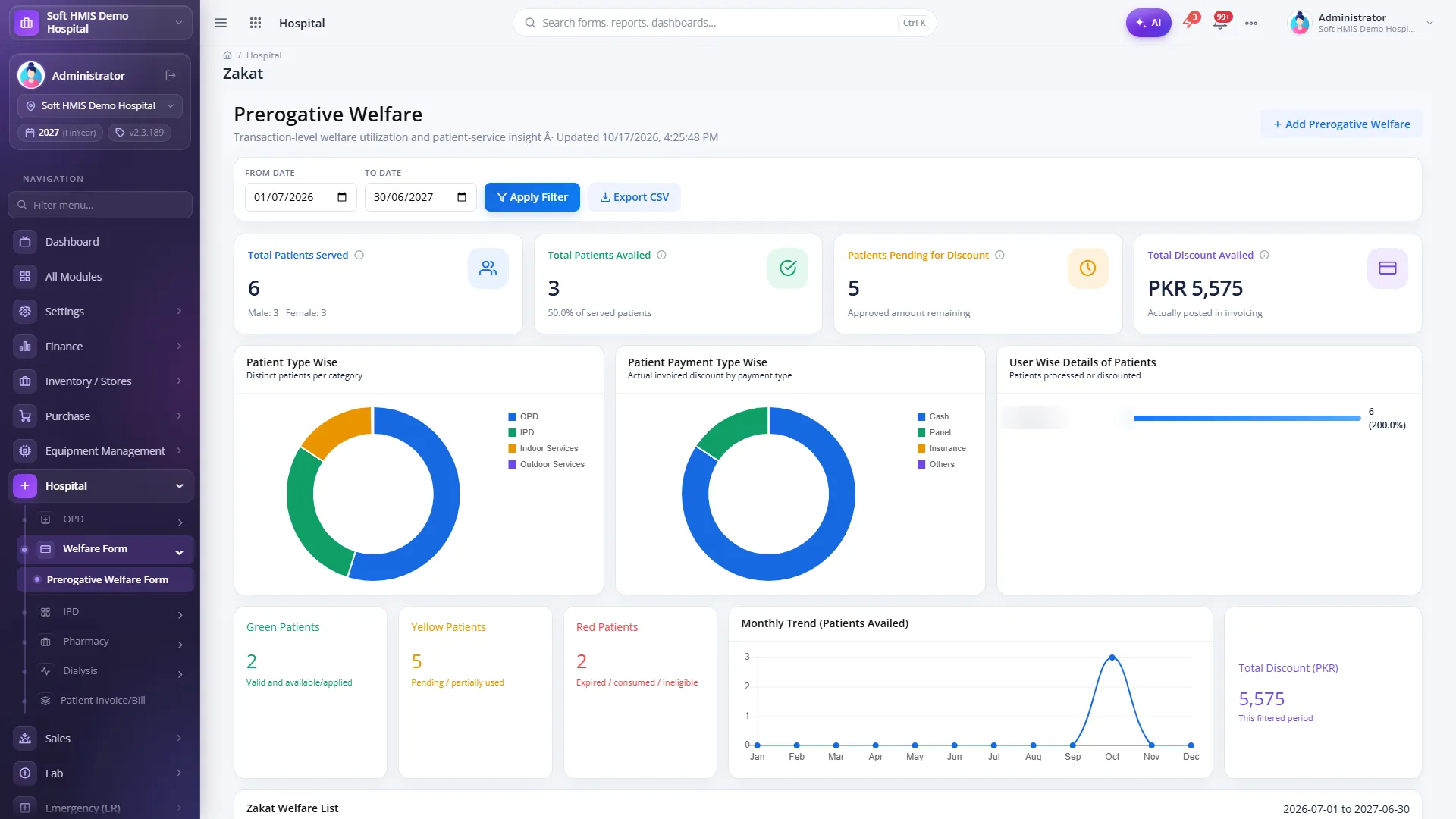
A real screen from a running SoftHMIS installation for Welfare & Zakat. Demo data; patient and staff details blurred. Click any screen to enlarge it.
Welfare / Zakat assessment
The welfare list with the built-in Zakat dashboard; assessment form with income, assets, liabilities and thumbprint.
Related modules
SoftHMIS modules share one database — they work better connected.
See Welfare & Zakat in action
See SoftHMIS configured around your facility — modules, workflows, tariffs and dashboards. Book a free demo on your own workflows and ask the hard questions.
No obligation Live demo on your workflows 042 35733324