In short
The PHC OPD module is a Phase 1 requirement, due within 6–8 months of notification. It asks hospitals to run the outpatient department on an integrated system: appointment and token management, a unique medical record number with duplicate checks, structured medical history and examination findings, electronic test orders that reach the lab and radiology, e-prescriptions that reach pharmacy with interaction checks, staff rosters and attendance, an SOP repository and a live OPD dashboard with patient-flow and volume KPIs.
Key takeaways
- OPD is in Phase 1 — most of its core requirements (registration, history, examination, orders, pharmacy integration, staff management, dashboard basics) are tagged P1.
- Registration must auto-generate a unique MR number, cross-check duplicates by name, mobile and CNIC, and link every OPD visit number to it.
- Doctors need structured examination templates, vitals, free-text notes and a digital signature workflow; multiple examiners (nurse then doctor) must be able to record findings.
- Test orders go electronically to the LIS and RIS with routine, urgent and stat priorities; e-prescriptions go to pharmacy with allergy and interaction alerts before dispatch.
- Confirmation messages, rescheduling, digital check-in and patient portals are mostly P2; revenue dashboards and mobile dashboards are P3.
- The OPD dashboard must show real-time patient flow, staff availability and volume trends, with demographics and disease prevalence in P1.
Where OPD sits in the PHC standard
The outpatient department is the first clinical chapter in the PHC HMIS report and one of the Phase 1 modules, alongside emergency, laboratory, radiology, pharmacy and the dashboard. Its fourteen sections cover appointment management, patient registration, medical history, examination findings, investigations, treatment plans, pharmacy integration, follow-up instructions, infrastructure and civic amenities, staff management, an SOP repository, an administrative section, billing and the OPD dashboard.
Reading the phase tags tells you where the committee expects hospitals to start. Nearly everything that touches the clinical record — registration, history, examination, orders, prescriptions — is P1. The patient-facing conveniences (SMS or WhatsApp confirmations, online rescheduling, estimated wait times on screens, a patient portal) are P2, and revenue analytics and mobile dashboards are P3.
Appointments, walk-ins and tokens
The appointment section asks for booking by walk-in, telephone and (in P2) web portal or mobile app; consultant-wise daily and weekly availability calendars with shift-based clinics, configurable slot lengths, department- and location-wise scheduling for multi-site hospitals, and holiday and leave blocking. Slot management needs buffer times and doctor-defined limits per slot or day.
Priority and categorisation is P1: appointment priority levels for emergency, VIP and regular patients, and token priority for the elderly, differently-abled and children. Walk-in handling — slot assignment from current availability, manual token assignment and a doctor override to squeeze in patients — is also P1, as is a doctor or clinic dashboard showing today’s appointments, their status and quick links to the EMR, prescriptions and test ordering.
Check-in and queue management is tagged P2 but describes what most hospitals think of as a token system: digital or manual check-in on arrival, queue number generation, real-time status (waiting, in consultation, done, no-show), estimated wait time on counters or in an app, and integration with digital signage.
Registration and the unique MR number
Patient registration is the foundation the rest of the standard builds on. PHC requires auto-generation of a unique medical record number for each patient, cross-verification to avoid duplicates based on name, mobile and CNIC, barcode or QR generation for MR cards and visit slips, and search by MR number, mobile, name or old record.
The demographic set is explicit: full name; gender; S/O, D/O or W/O; date of birth or age with auto-calculation of the other; marital status; nationality; blood group; occupation; and optional education level. Contact details include permanent and current address, a mandatory mobile number, optional e-mail and an emergency contact with relationship. CNIC and scanned identification documents are P1.
Registration categories matter for reporting: patient type (new, repeat, referred, corporate, government scheme beneficiary), visit type (general, emergency, review), department and doctor selection based on the schedule, referral source and special categories such as senior citizen, child or government employee. Each visit gets an auto-generated OPD visit number linked to the MR number, with the department, consulting doctor and timestamp.
Auto-generation of a Unique Medical Record Number for each patient, with cross-verification to avoid duplicate entries based on name, mobile and CNIC.
Medical history and examination findings
The medical history section asks for a patient history dashboard with filters, and structured capture of past diagnoses and conditions, surgeries and procedures, medications, allergies and adverse reactions, family history, social and lifestyle history, menstrual and reproductive history for women, immunisation history and hospitalisation history, all accessible per visit. Every item is P1.
Examination findings require structured templates and free-text notes, vitals recording, system-specific examination, multiple-examiner documentation (for example a nurse’s initial findings followed by the doctor’s detailed examination, with a record of who entered each), and a digital signature and approval workflow with the option of senior review and tracked changes on reassessment. Scoring systems, findings linked to diagnosis and treatment, and real-time clinical decision support alerts (such as a blood pressure above 180/110 or an abnormal pulse) are P2.
Investigations, treatment plans and pharmacy integration
Test ordering must give the doctor direct access to the lab and radiology catalogues from the consultation page, with categorisation (routine, emergency, specialty), search by name, code or department, multi-test ordering and custom panels, clinical justification, pre-test instructions and order notes, and routine, urgent or stat priority with real-time alerts to the laboratory. Orders transmit automatically to the LIS and RIS, carry a status trail — ordered, sample collected, in progress, result ready — and notify the doctor when results are available. Results are entered in the LIS or RIS and pushed back to the OPD record.
Treatment plans are mostly P1 for creation, interventions, duration and progress tracking, with goal-setting, decision support, multidisciplinary collaboration and patient education in P2.
Pharmacy integration is P1 throughout: seamless transfer of OPD e-prescriptions to pharmacy; real-time view of drug name, strength, dosage, frequency and duration with instructions; quantity auto-calculated from the prescription; allergy and interaction alerts before dispatch; generic and branded support; a dispensing workflow with live inventory sync, partial dispensing with consent and substitute suggestions; prescription status (prescribed, ready, dispensed, rejected or short); patient-friendly labels; a pharmacy bill auto-generated against the OPD visit; formulary management; and drug interaction and safety checks.
Staff, infrastructure, SOPs and the OPD dashboard
The OPD chapter carries the MSDS-flavoured requirements that recur in every module. Staff management asks for consultant availability per shift, the number of medical officers and women medical officers per shift, qualified nurses per shift, duty rosters, attendance tracking (biometric or manual, with real-time status), an on-call consultant system, daily round documentation and an OPD round register. Infrastructure covers registration and reception, cleanliness and hygiene, power and equipment, water and sanitation, security and access control, and a resuscitation room with its equipment list, status and last and next check dates. SOPs, protocols and guidelines live in a digitised repository with training records and push notifications for updates.
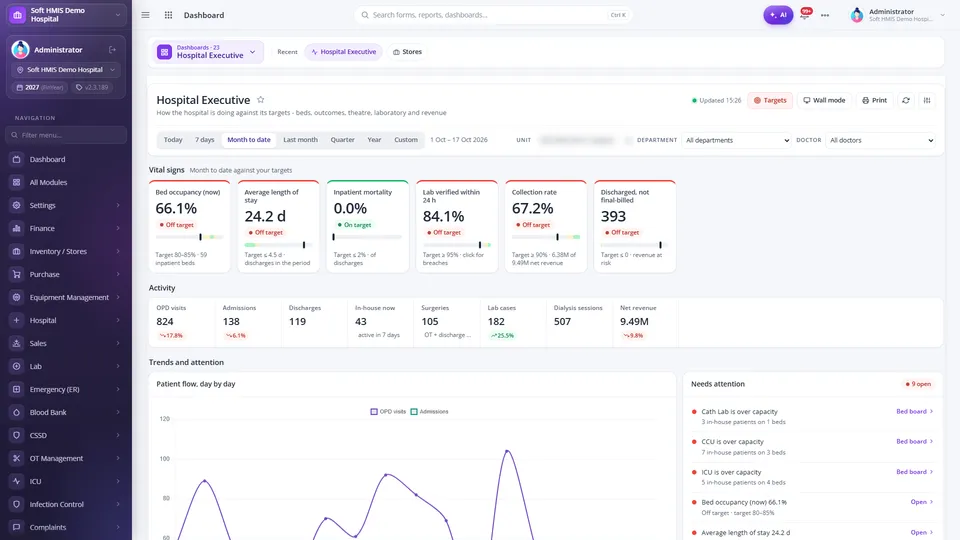
The dashboard section defines what the OPD in-charge and management should see. Real-time patient flow (patients waiting, in consultation, in pharmacy or lab, and triage status), live appointment information and staff availability are P1. KPIs include patient volume and visits by category and department (P1), consultation and wait times (P2), revenue (P3), appointment trends with no-show and cancellation rates (P1) and resource utilisation (P2). Demographic breakdown and disease prevalence are P1; patient satisfaction, operational alerts, charts and heat maps, and automated reporting are P2; mobile and remote access are P3.
How SoftHMIS supports this
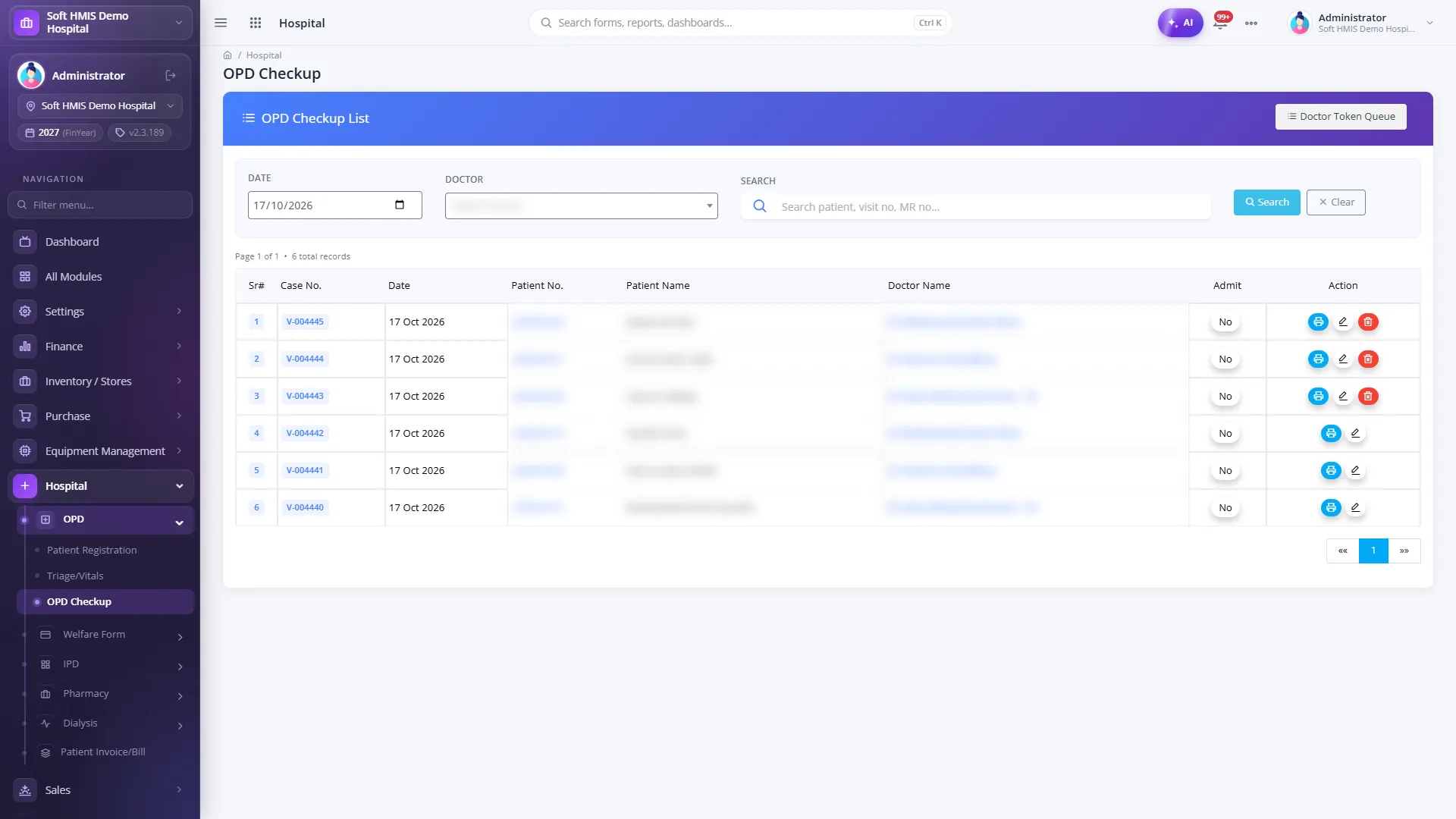
SoftHMIS is designed around PHC’s OPD requirements. Reception registers the patient once — with webcam photo, patient type, panel (corporate) flag and employee dependants — issues the token and collects the fee from one screen, with the doctor fee picked automatically by patient type. Token slips, patient cards and OPD slips print immediately, and the token appears instantly in the doctor’s live queue. Triage and vitals are recorded by the nurse once and shown in the doctor’s visit file, with recorded allergies carried forward.
The OPD doctor console gives each doctor a live token queue — call next, go back, mark done or refer — with spoken token announcements in the waiting area, and one visit file that holds vitals, complaints, diagnosis, history, prescription templates, packages and follow-up. Lab and radiology orders are placed from the visit and billed at the lab counter without retyping. A drug interaction master defines severity, effect and alert text per combination, and a conflicting combination blocks the prescription from saving. Prescriptions, referrals, admission orders and death certificates print on the doctor’s letterhead, and pharmacy dispenses against the OPD prescription with live stock, batch control and instructions in Urdu.
For management, the OPD Analytics board shows OPD volumes, new versus follow-up patients, doctor-wise visits and consultation revenue, filtered by business unit, date, department and doctor, with drill-down to the rows behind each figure. The scheduling screen in SoftHMIS is a read-only calendar of existing appointments rather than an online booking engine, so hospitals that need web or app booking should discuss that requirement during the demo.
Frequently asked questions
Is an online appointment portal required for PHC OPD compliance?
Web and mobile booking, confirmation messages, online rescheduling and a patient portal are tagged P2 in the OPD chapter. Walk-in registration, telephone booking, availability calendars, slot management and priority tokens are P1.
What patient details does PHC require at OPD registration?
A unique MR number, full name, gender, S/O-D/O-W/O, date of birth or age, marital status, nationality, blood group, occupation, addresses, a mandatory mobile number, emergency contact, CNIC with document upload, patient and visit type, department and doctor, referral source and special category, plus an auto-generated OPD visit number.
Does the OPD module require electronic prescriptions?
Yes. Pharmacy integration is P1: e-prescriptions must transfer to the pharmacy system with allergy and interaction alerts before dispatch, a dispensing workflow synced to live inventory and a pharmacy bill linked to the OPD visit.
Which OPD dashboard KPIs are Phase 1?
Real-time patient flow, live appointment information, staff availability, patient volume and visits by category and department, appointment trends with no-show and cancellation rates, demographic breakdown and disease prevalence. Wait times and resource utilisation are P2; revenue data is P3.
Sources
- Hospital Management Information System (HMIS) — Final Report of the HMIS Committee — Punjab Healthcare Commission, 13 June 2026
- OPD
- PHC
- Appointments
- Patient registration
- E-prescription